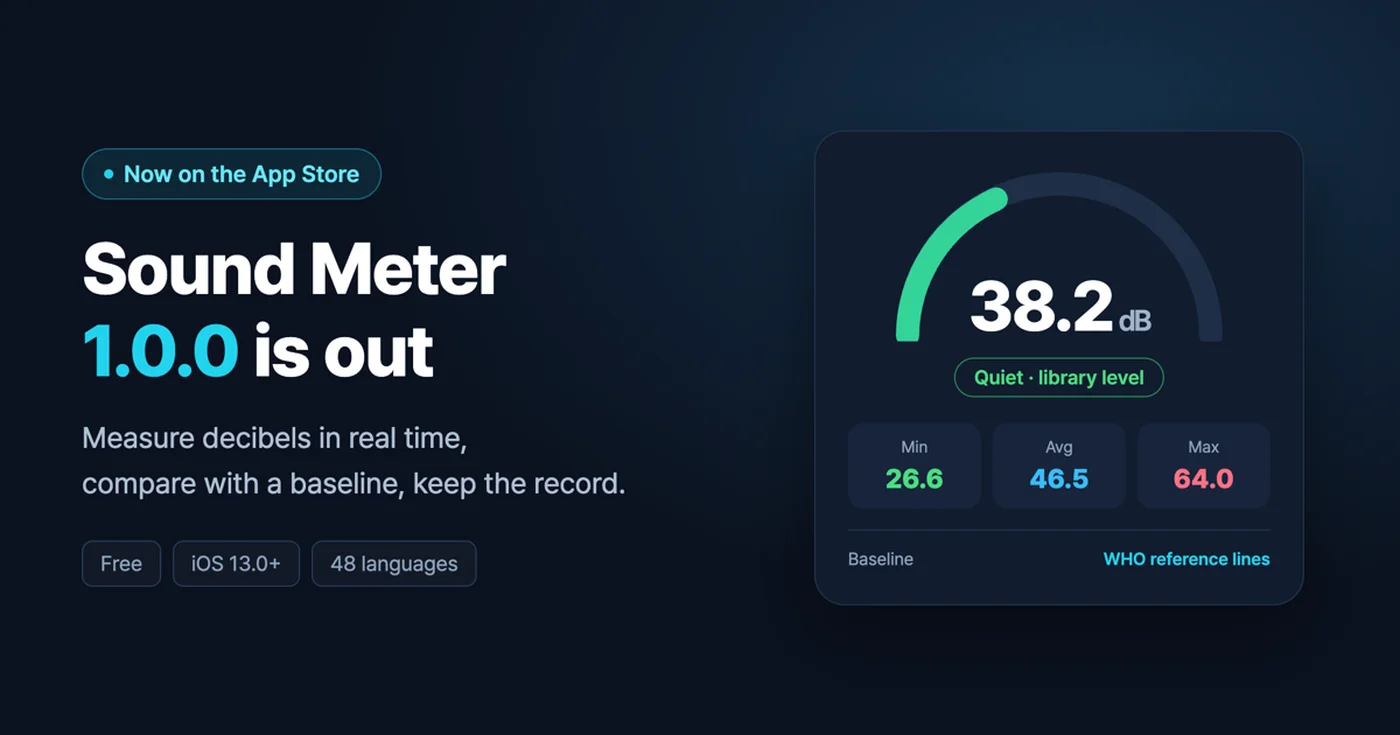
Meet Sound Meter. Version 1.0.0 launched on the App Store on August 31, 2026. It is free, runs on iOS 13.0 or later, and is available in 48 languages, including English.
Sound Meter uses your phone's microphone to measure the noise around you in decibels, compares the readings with a baseline, and keeps them as a record. It does not stop at telling you how many dB it is right now — because a steady log says far more than a single reading.
1. Live measurement and history
Start from the Measure tab with a single button. The gauge shows the current decibel level, and below it the minimum, average and maximum, a live waveform, the 1-minute equivalent sound level (Leq) and the maximum sound level (Lmax) all update as you go. The app also tells you in plain words where the current level sits, such as "Quiet · library level."
When you stop and tap the check button, the session is saved to your history. Sessions are grouped by date in the History tab, and you can tag each one with a noise type — footsteps, dragging furniture, a slamming door, TV / music, vibration / machinery: the kinds of noise you actually tell apart in daily life. Tap the chips at the top to filter by type.
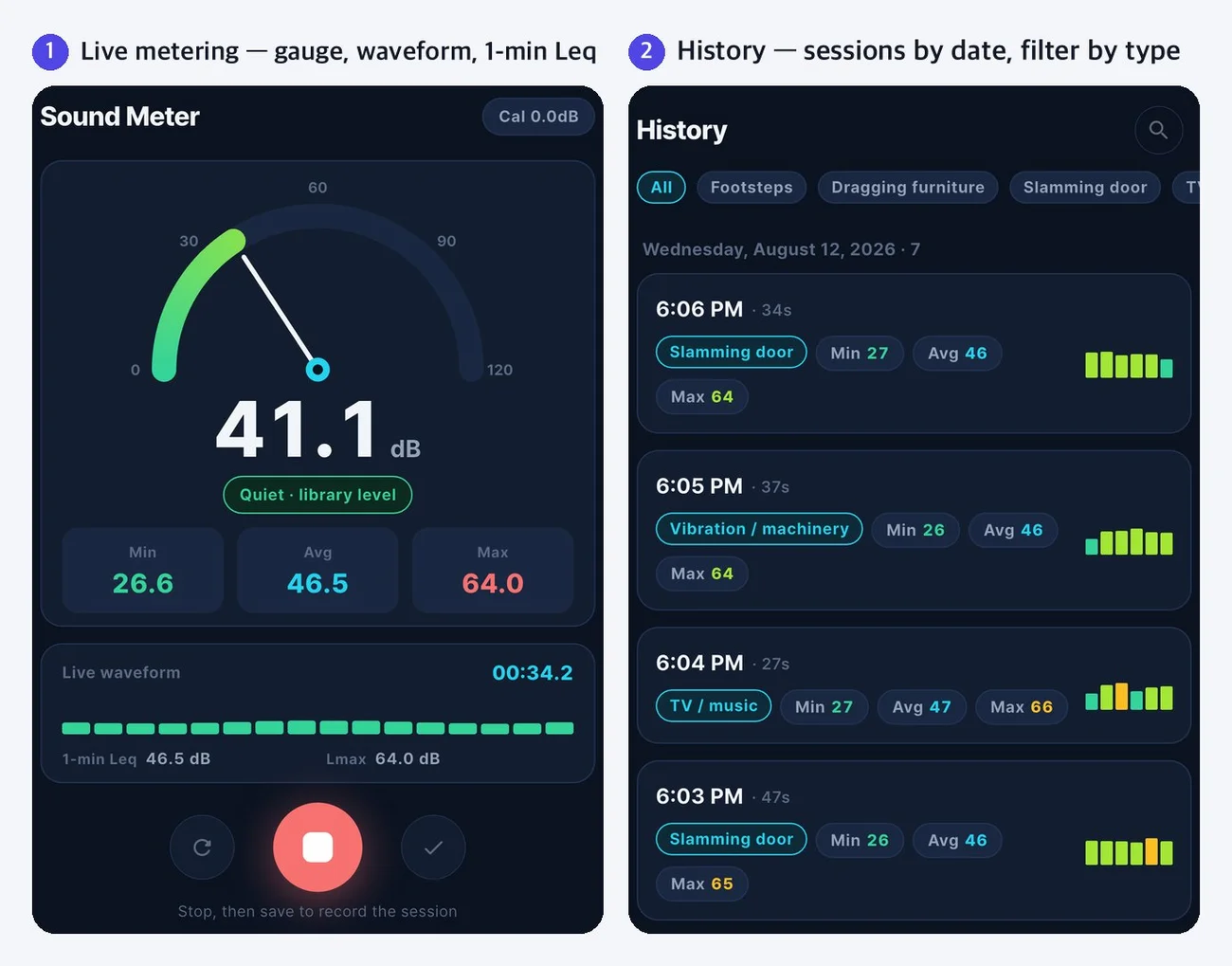
Add a place label and a one-line memo when you save, and the session will be easy to find later. Turn on "Ask for a note when saving" in Settings and the note sheet opens every time you save.
2. Session details and period reports
Tap a session to see its dB levels over time as a graph. The baseline is drawn on top as a red dotted line, and the highest point is labeled with its value. Below the graph you will find the minimum, average and maximum, the 1-minute Leq, the difference from the baseline and the number of samples.
Period reports pull those sessions together and show you the patterns: the days you measured, total sessions, night sessions, days above the baseline, average length, the hour when noise occurred most often, and a count for each noise type — all on one screen.
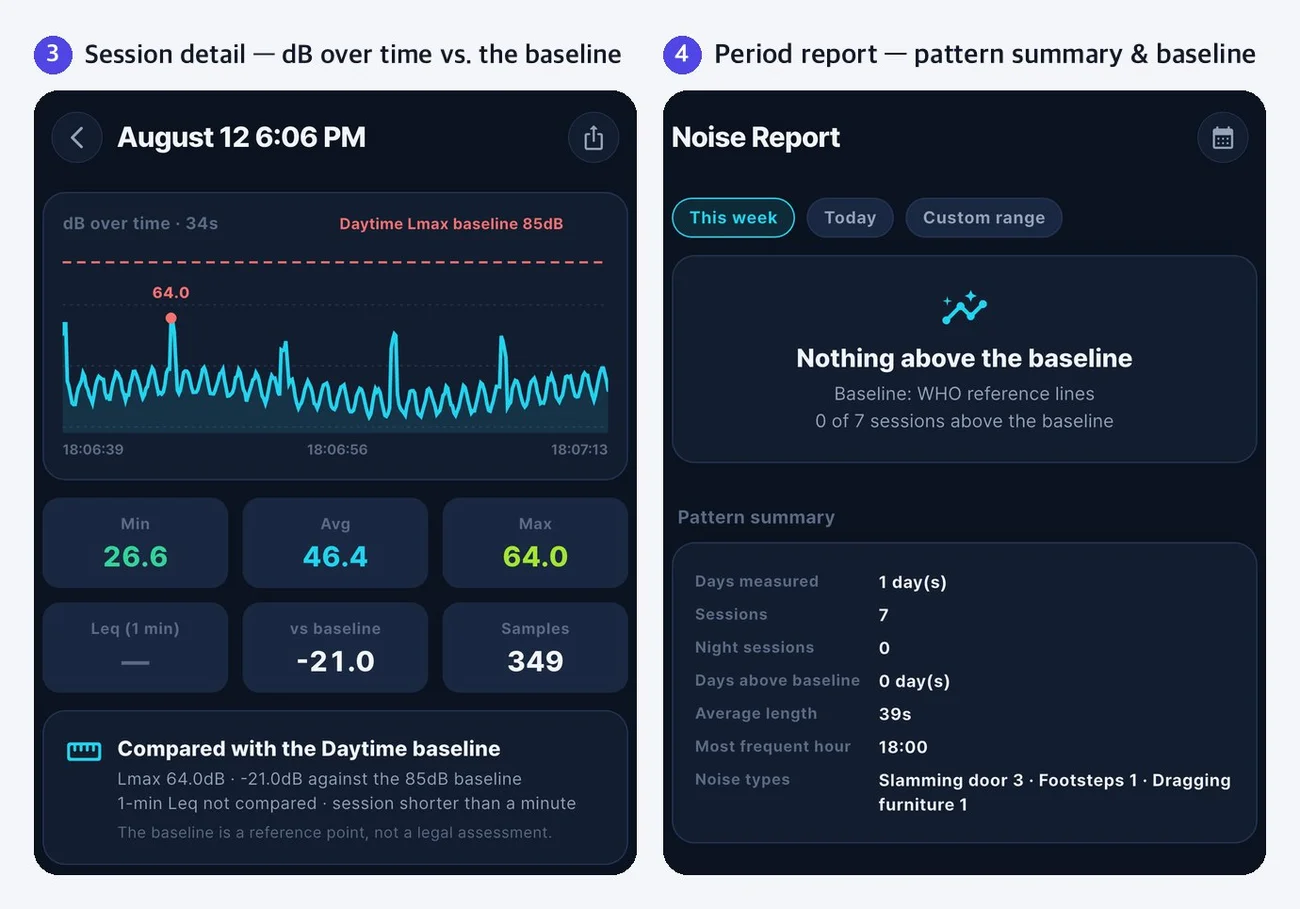
The baseline comparison shows the 1-minute Leq and Lmax separately for daytime and night. If you did not measure during a time window, it is left blank as "nothing measured" — we never estimate values that do not exist.
Use View raw data and Export CSV to take your readings out exactly as recorded, and turn a period report into a PDF.
3. A baseline is a reference point
You choose the comparison baseline in Settings.
- Korean apartment baseline (reference) — Based on the standard for noise between floors in apartment buildings set by Korea's Ministry of Environment (revised in 2023). In Korea, noise from neighbors above and below is a common source of disputes, so there is an official threshold for it
- WHO reference lines — The WHO environmental noise guidelines, plus an 85 dB Lmax line for hearing protection
- No baseline — Keep the readings without any comparison line
We want to be clear about one thing. A baseline is a reference point, not a legal assessment. Readings from a smartphone microphone do not replace measurements from a certified sound level meter, and they vary with the device and its calibration. When the app shows "Above," it only means your reading was higher than that reference point — it does not determine whether any law or regulation has been violated.
If you want your readings to be a little more accurate, use Microphone calibration in Settings. Compare against a reference sound level meter and enter the difference as an offset. You can also set the sample rate to 5, 10 or 20 readings per second.
4. Your records stay on your device
There are no accounts. No sign-up, no login — just open the app and start.
Your measurements, memos and place labels are stored only on your device and never sent to a server. If you turn on "Save audio while measuring" in Settings, an m4a file is kept alongside each session, and it never leaves your device either. This setting is off by default.
Sound picked up by the microphone is converted into decibel values inside the app, and the audio used for that calculation is discarded immediately. You can find the details, item by item, in our Privacy Policy.
5. Available in 48 languages
Everything follows your device language, right down to the field names in PDFs and CSV files. You can also pick a language in Settings, or leave it on "Follow system" to use your device language.
- East and Southeast Asia — Korean, Japanese, Chinese (Simplified), Chinese (Traditional), Vietnamese, Thai, Indonesian, Malay, Khmer, Burmese
- South Asia and the Middle East — Hindi, Bengali, Tamil, Urdu, Persian, Arabic, Hebrew
- Western Europe — English, German, French, Spanish, Portuguese, Italian, Dutch, Catalan
- Northern Europe and the Baltics — Swedish, Norwegian, Danish, Finnish, Estonian, Latvian, Lithuanian
- Central and Eastern Europe — Polish, Czech, Slovak, Hungarian, Romanian, Bulgarian, Croatian, Slovenian, Serbian, Greek, Russian, Ukrainian
- Other — Turkish, Azerbaijani, Kazakh, Swahili
No sign-up needed. If something feels inconvenient or there is a feature you wish it had, let us know at the address below. Your feedback goes straight into deciding what comes in the next version.
Sound Meter — keep a record of noise from upstairs and everyday life
Measure decibels in real time, log sessions by noise type, and review them in period reports
📲 Download Sound Meter
- App Store: Get Sound Meter on the App Store
- Google Play: Get Sound Meter on Google Play
🔗 Official site: https://codesand.co.kr/en/app/noisemeter
✉️ Contact: noise-meter@reply.codesand.co.kr