 D-Day Keep
Days to look forward to, days you've shared.
D-Day Keep counts them all.
Check anniversaries, birthdays, exams and trips right on your home screen.


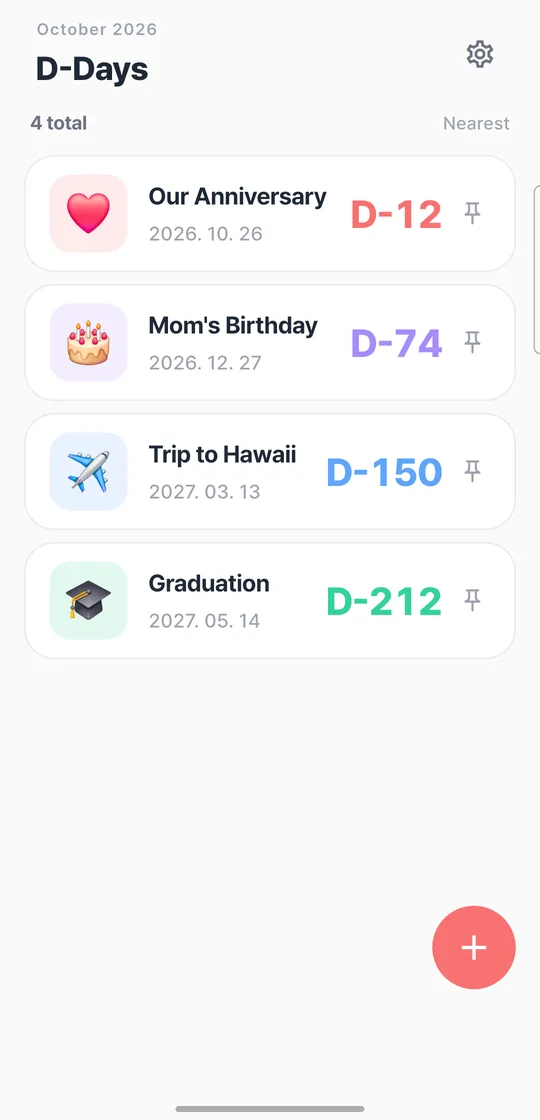
- Days since we met
- Mom's birthday
- Days until the exam
- Counting down to a trip
- Payday every month
- Wedding anniversary every year
- Waiting for concert day
- Days since quitting smoking
- Baby's 100th day
- Days until graduation
How it works
Big numbers,
styled your way

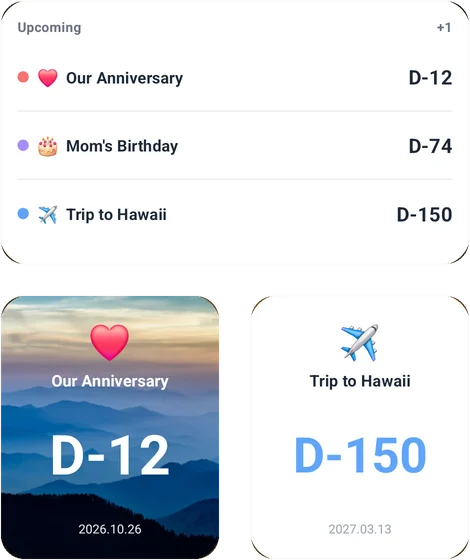
Home screen widgets
See it without opening the app
Put the D-Day you check most on your home screen as a widget. There is also a widget that lists your upcoming days at a glance. On iPhone, widgets need iOS 17 or later.

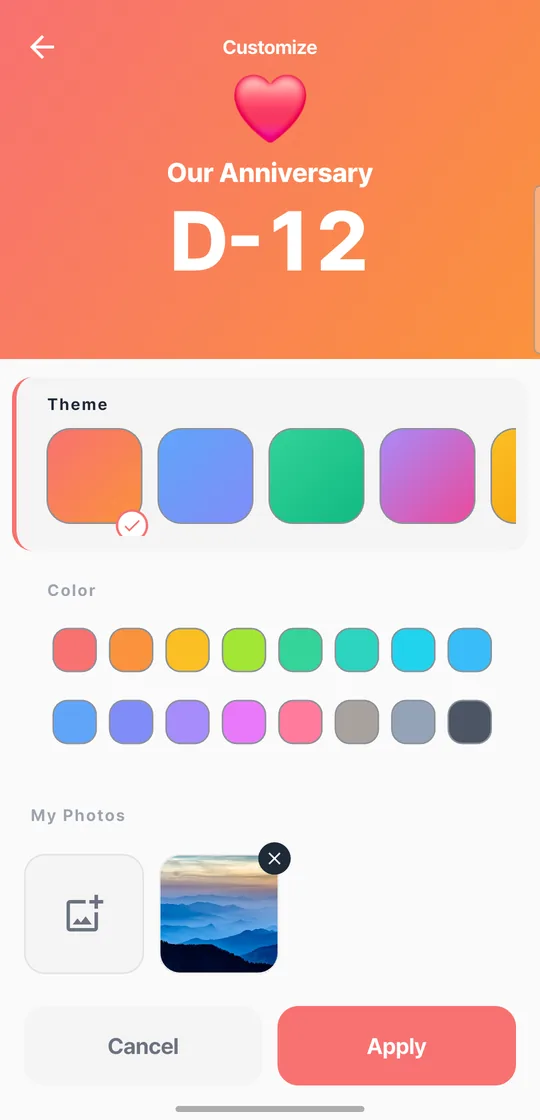
Photos and themes
Your photo as the background
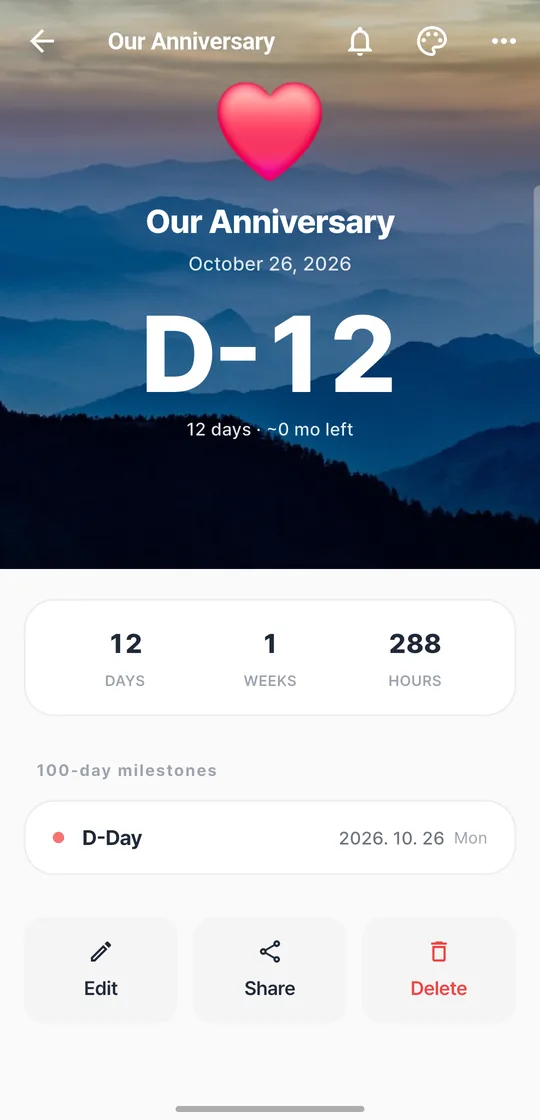
Add a photo as the background of each D-Day, or pick one of 8 themes. Choose any icon and color you like.
Monthly and yearly repeat
Set it once, count it every year or month
Set days that come around once a year to Yearly, and days that come every month to Monthly. Once the date passes, it starts counting again to the same day next year or next month. In months without a 31st it uses the last day, and widgets and reminders move to the next date too.

Reminders
Never miss a 100th day or an anniversary
Choose when you want a reminder: on the day, 1 day before, or 3 days before. If you set a time for the D-Day, you can also be reminded 1 hour and 10 minutes before. Alerts every 100 days and on each yearly anniversary can be turned on separately.

Share a D-Day
Count together with one link
Send a D-Day as a link, and the person who gets it can add it to their own list in the app right away. Wait for the same day together.
Every basic feature
works without signing up
We do not use your D-Days or photos for ads or marketing.

Stored on your device
Without signing in, it stays on your phone
While you are not signed up, your D-Days are stored only on your device and are not sent to our servers. Only when you create a share link is that D-Day saved on the server.

Backup is optional
Sign in and keep everything on a new phone
Sign in with Kakao, Google or Apple to back up your D-Days and keep them in sync across devices.

Deleted when you leave
Leave, and it is gone from the server too
When you delete your account, the D-Days, photos and share links of that account are removed from the server right away.
Frequently asked questions
Have more questions? Visit the Support Center.
Start counting
the days that matter today