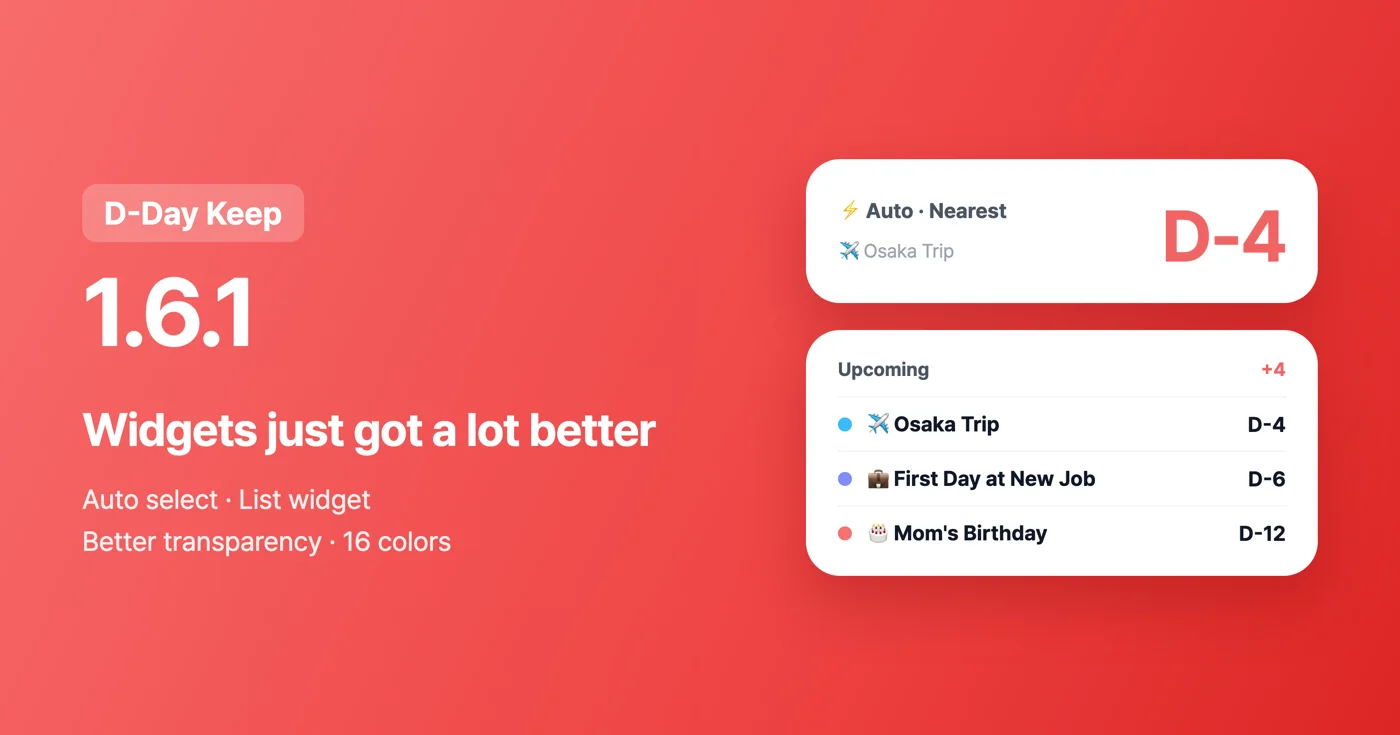
Here is the D-Day Keep 1.6.1 update. This version brings many improvements, centered on home screen widgets. The Android release is rolling out now, and the iOS release will go out automatically as soon as it passes review.
The widget "Auto" option — your nearest D-Day, automatically
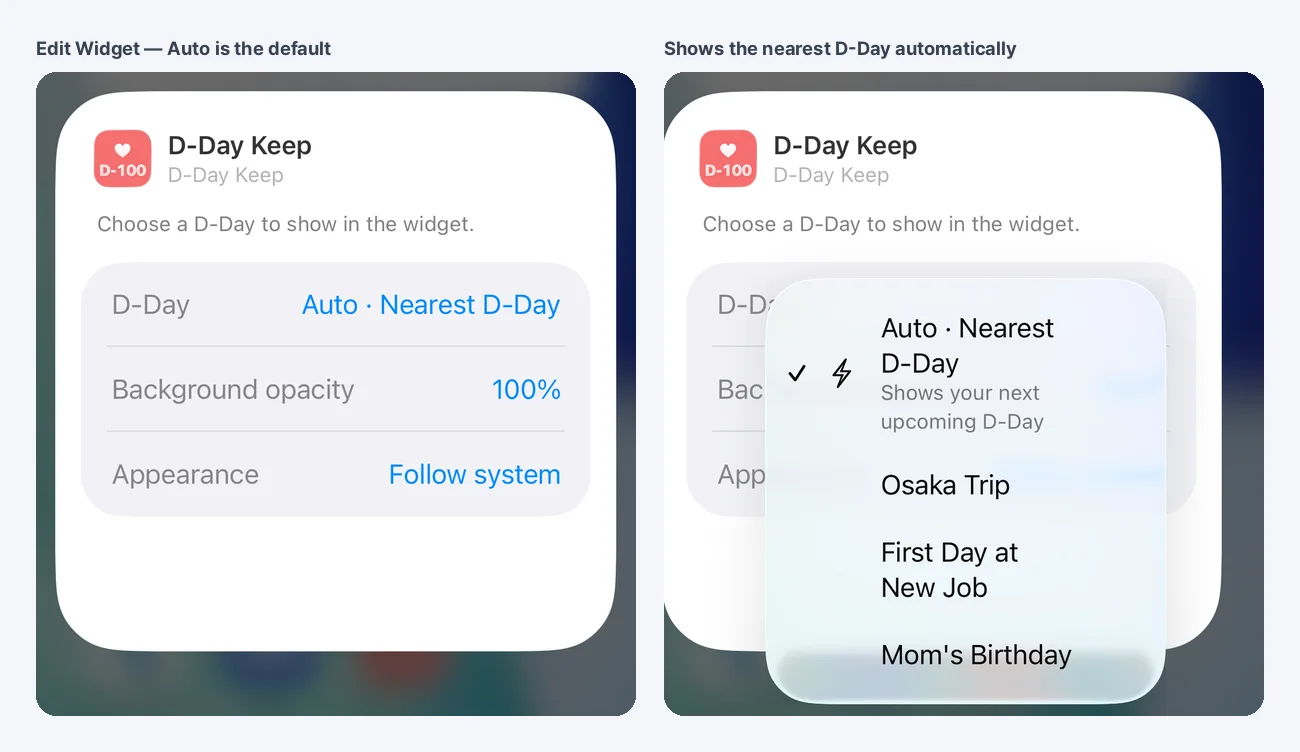
Until now, a widget kept showing the single D-Day you picked when you added it. Now, if you choose "Auto · Nearest D-Day" in the widget settings, it automatically shows the nearest upcoming D-Day and moves on to the next one once that day passes. When there are no upcoming D-Days at all, it shows the most recently passed one marked "Past".
You can pick it at the top of the list when you add a new widget, or when you long-press an existing widget to open its settings. Widgets you already use do not change — to use Auto, please choose it in the widget settings.
New list widget — your next three D-Days at once
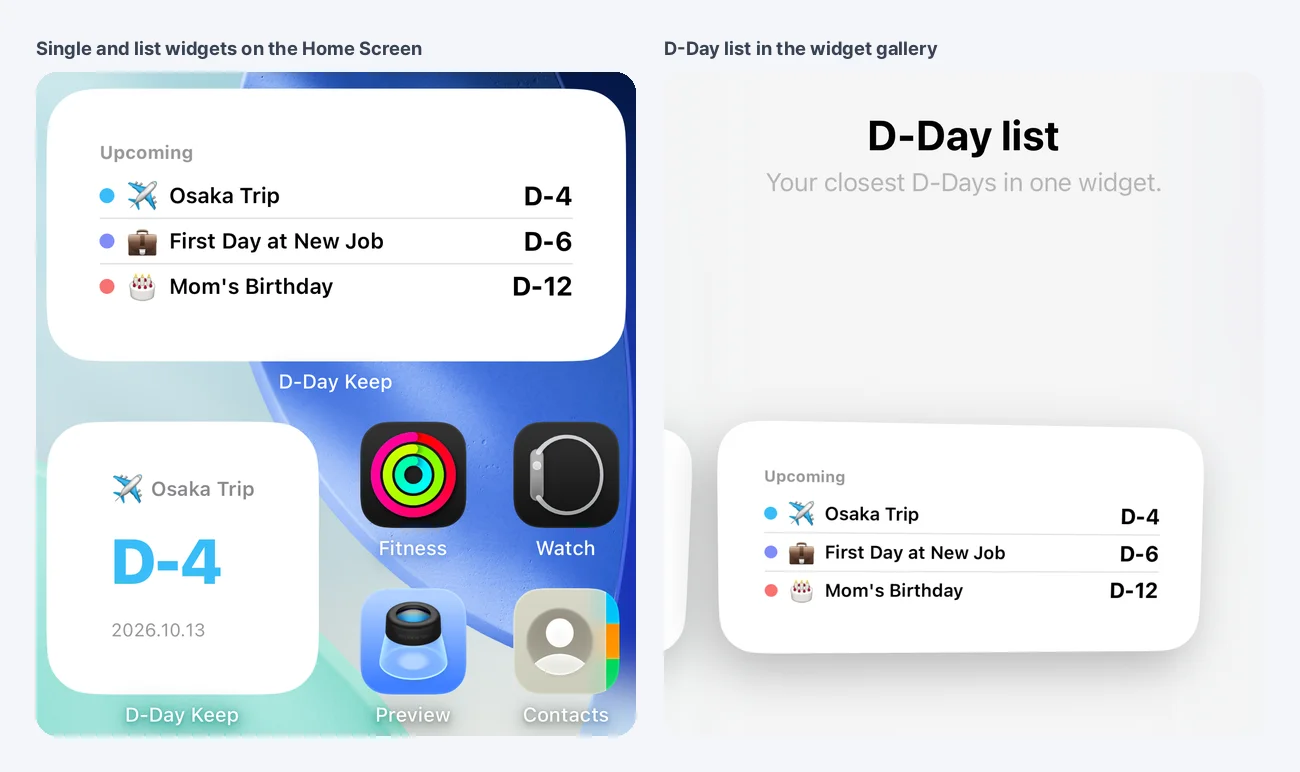
If you keep track of several D-Days, you can add the list widget (medium size), which shows your next three D-Days in order of closeness in a single widget. Tap a row to go straight to that D-Day's detail screen.
Better widget transparency
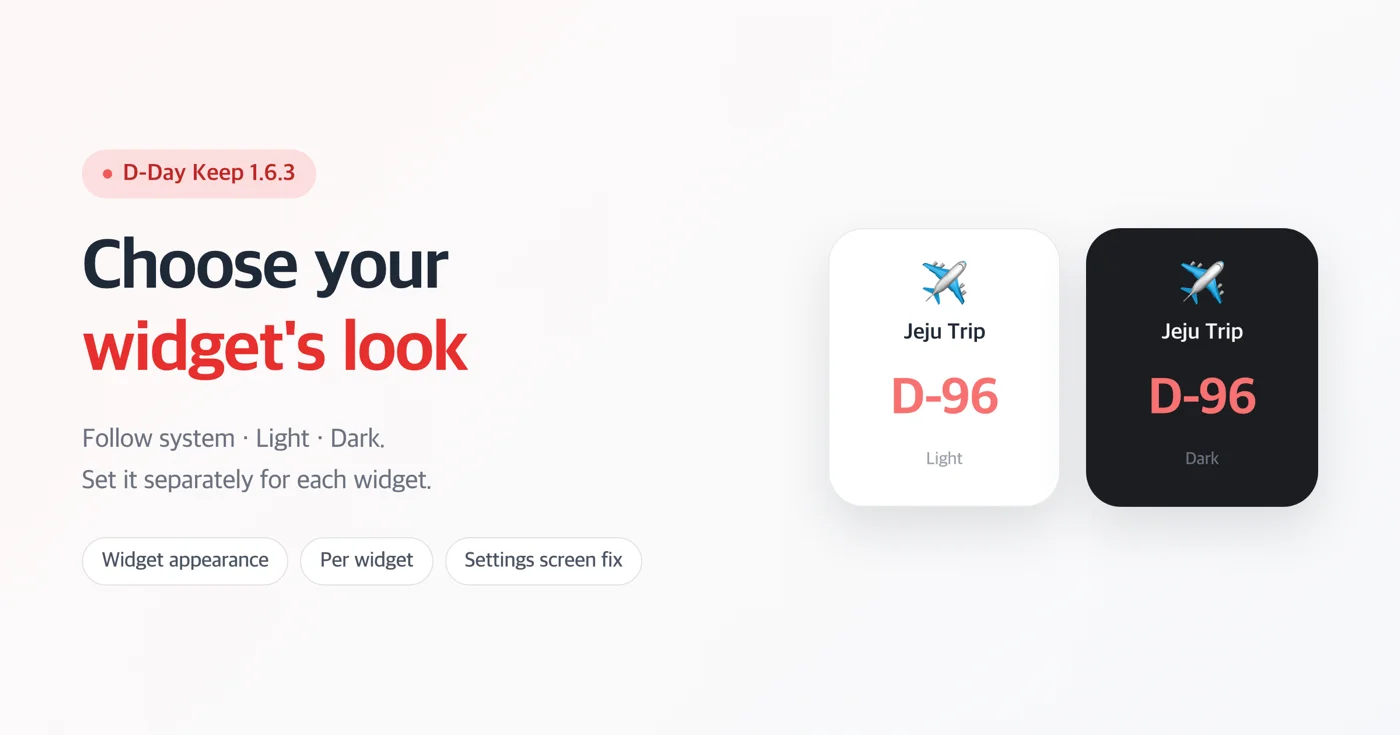
Lowering the transparency of a photo-background widget used to blur the photo. Now the photo stays sharp and blends into the card color instead. In dark mode it blends into a dark color, so the text is much easier to read.
- Android: On Clear and 25% widgets, the text color is set automatically to match the brightness of your wallpaper (dark text on light wallpapers, white text on dark wallpapers). When you change your wallpaper, it is applied at the next widget refresh.
- iOS: Choosing "Clear" shows a translucent blurred background instead of a white panel, and it follows dark mode. Because of system limits, iOS cannot make a widget fully transparent, so a minimum of 25% applies on photo backgrounds.
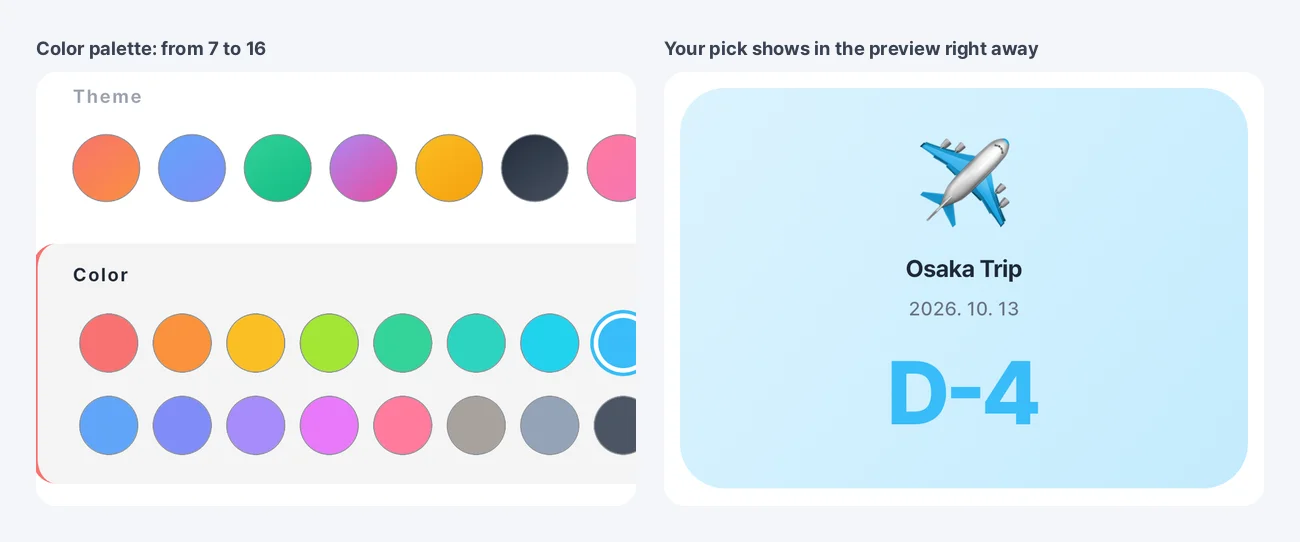
D-Day colors: from 7 to 16
The solid colors you can choose when adding or editing a D-Day, or on the Customize screen, have grown to 16. You can switch freely between themes (gradients) and solid colors.
Other improvements
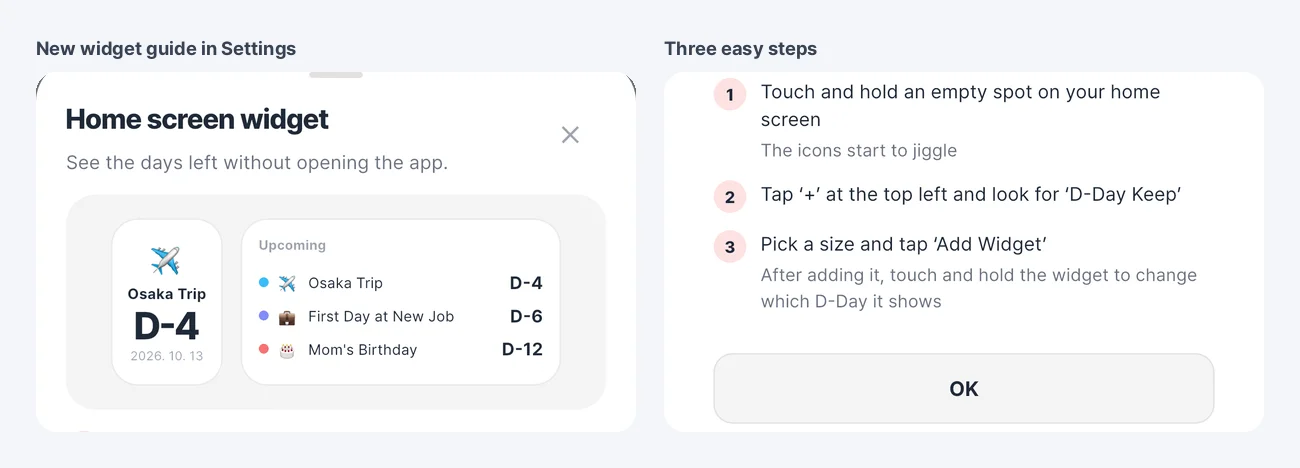
- A "Home screen widget" guide has been added to Settings, so even first-time widget users can see right away how to add one.
- When you are signed in, the email address for replies is filled in automatically when you send feedback.
- We improved the stability of date calculation and sync. In particular, we fixed an issue where distant dates showed one day less in regions that use daylight saving time.
Download
- Android: https://play.google.com/store/apps/details?id=com.codesandkr.dkeep
- iOS: https://apps.apple.com/app/id6772022931
- Official site: https://codesand.co.kr/en/app/dkeep
Contact: dkeep@reply.codesand.co.kr