Here is the D-Day Keep 1.6.3 update. This version improves home screen widgets. The update is now live in both the Android and iOS stores, so you can update right away.
Choose a color for each widget
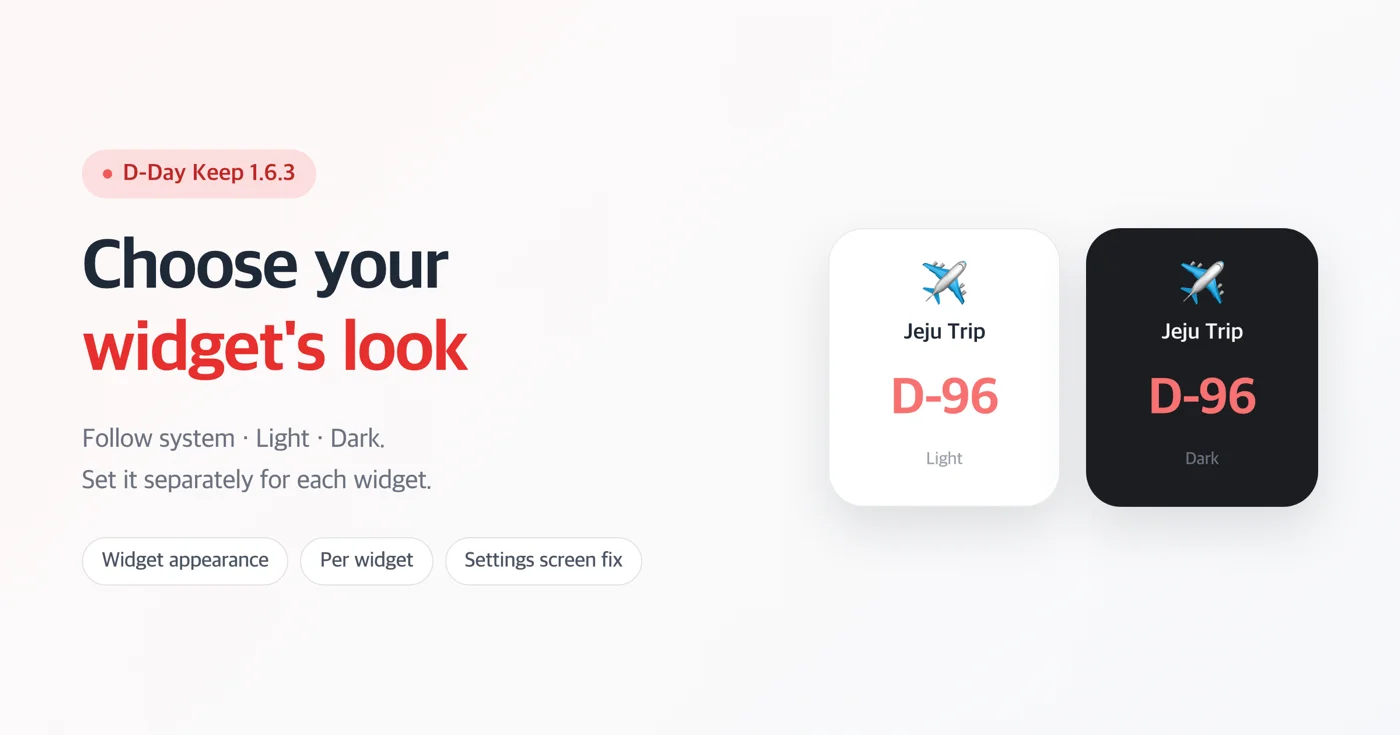
A new "Appearance" option has been added to the widget settings. You can choose from three: Follow system · Light · Dark.
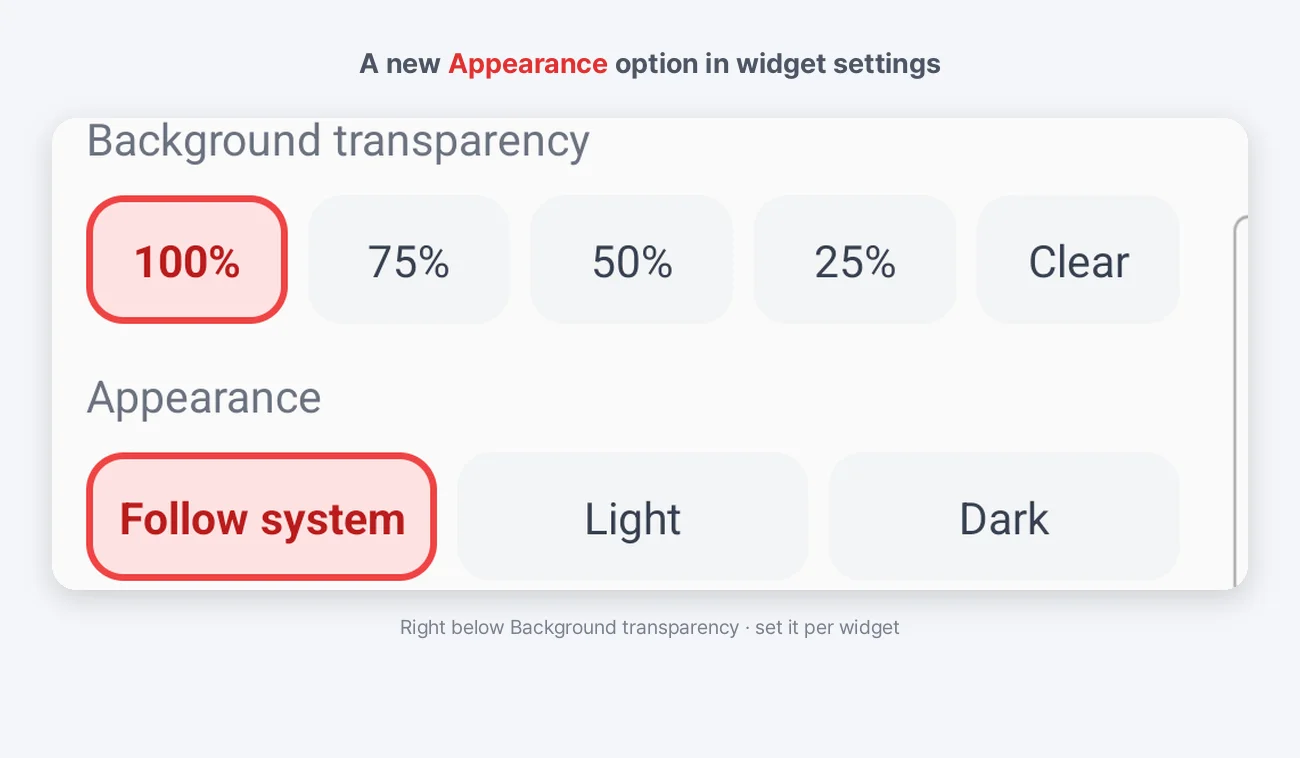
- Android: Long-press the widget and open its settings — it is right below the existing "Background transparency" option.
- iOS: Long-press the widget and open "Edit Widget" — you will find the "Appearance" option there.
You can set it separately for each widget. For example, you can put a dark widget on a page with a dark wallpaper and a light widget on a brighter one.
Why we added this
Widgets sit not inside the app but on top of your wallpaper. So even when your device is in light mode, a white card clashes with a dark wallpaper — and the same goes the other way around.
Until now, the only way to adjust this was background transparency. But transparency works by *fading out* the card, so it was no answer when you wanted to keep the card and change only its color.
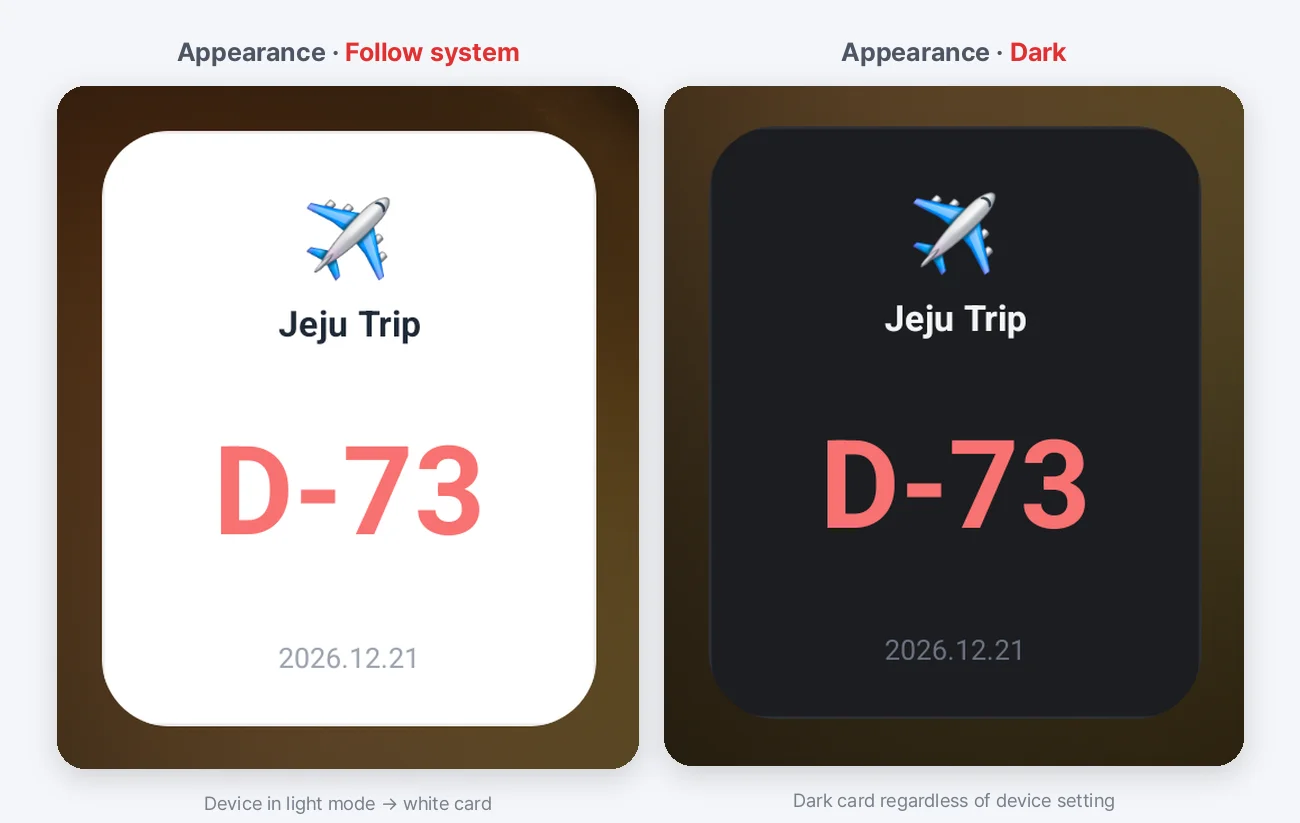
The two images above use the same wallpaper and the same device settings, with only the widget's appearance changed. On the left, the device is in light mode so the card is white; on the right, "Dark" is chosen to match the wallpaper.
Widgets you already placed stay the same
The default is Follow system. Just as before, it follows your device's light or dark setting.
So widgets you have already placed on your home screen look exactly the same after the update. Just choose a color in the settings for the widgets you want to change.
Fixed the title being hidden on the widget settings screen
On some Android devices, the title of the widget settings screen ("Choose a D-Day to show") was hidden behind the status bar at the top. We fixed it so the top margin follows the value the device reports. Thank you to the user who let us know about this issue.
Widget text color now follows device theme changes right away
When you switched your device from light to dark (or the other way around), the widget's card background changed right away, but the title text color stayed the same, so the text could blend into the background until you opened the app once. In this version, the text color now changes at the same time as the background.
> On Android 11 and below, this part works the same as before. Because of differences in what those devices support, the colors are matched once you open the app.
Download
- Android: https://play.google.com/store/apps/details?id=com.codesandkr.dkeep
- iOS: https://apps.apple.com/app/id6772022931
- Official site: https://codesand.co.kr/en/app/dkeep
Contact: dkeep@reply.codesand.co.kr