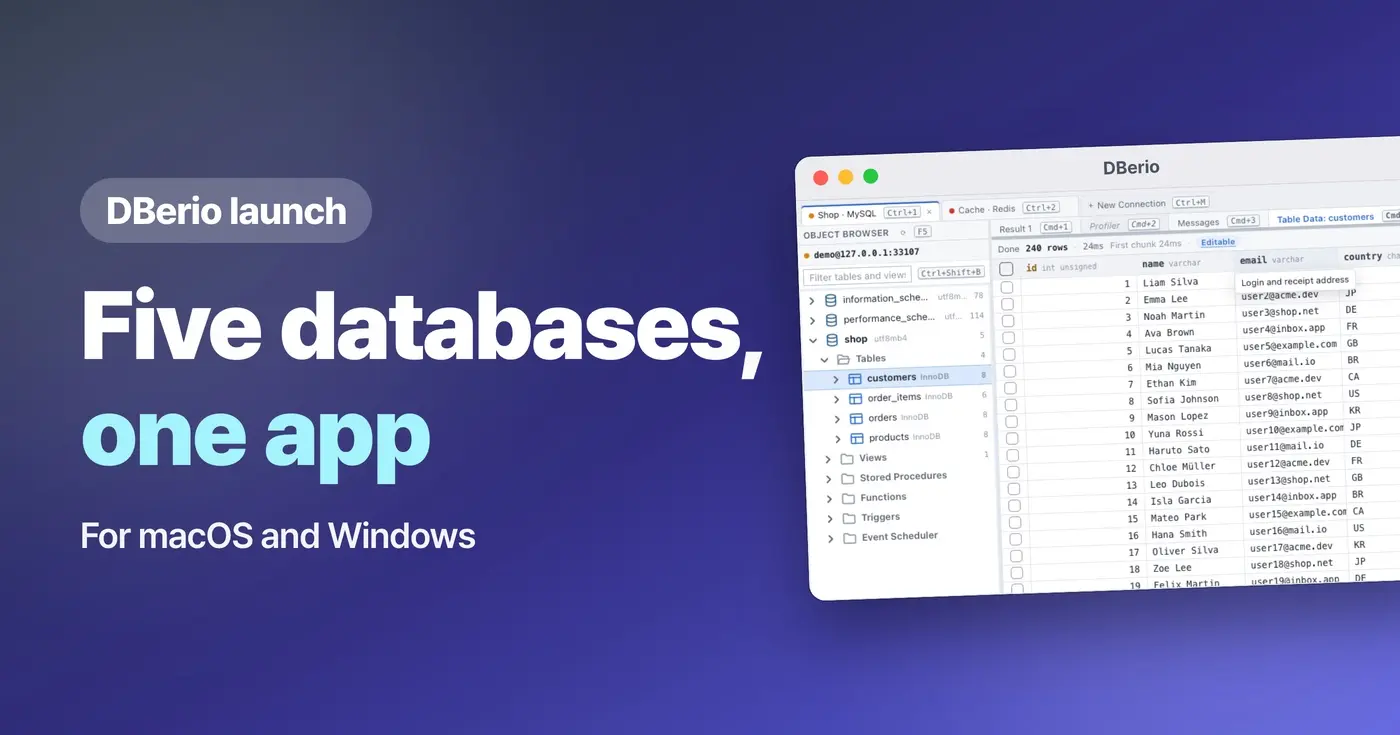
If you build apps, sooner or later you need to open up the stored data and fix it yourself. CodeSand Co., Ltd. (CEO SungYong, EOM) has launched DBerio, a desktop DB client that lets you manage five databases — MySQL, MariaDB, PostgreSQL, SQLite and Redis — in one app, on the Microsoft Store and the Mac App Store. It was first published on the Microsoft Store on October 13, 2026, and went on sale on the Mac App Store on October 14. Version 1.0.2 is currently available on both stores.
As more people build apps with the help of AI, more of them need to look into their own app's database even if they are not developers. Apps built this way usually store their data in one of MySQL, MariaDB, PostgreSQL, SQLite or Redis. DBerio lets you manage all five in one app, without installing a separate tool for each type of database.
Edit right in the grid, check before you change
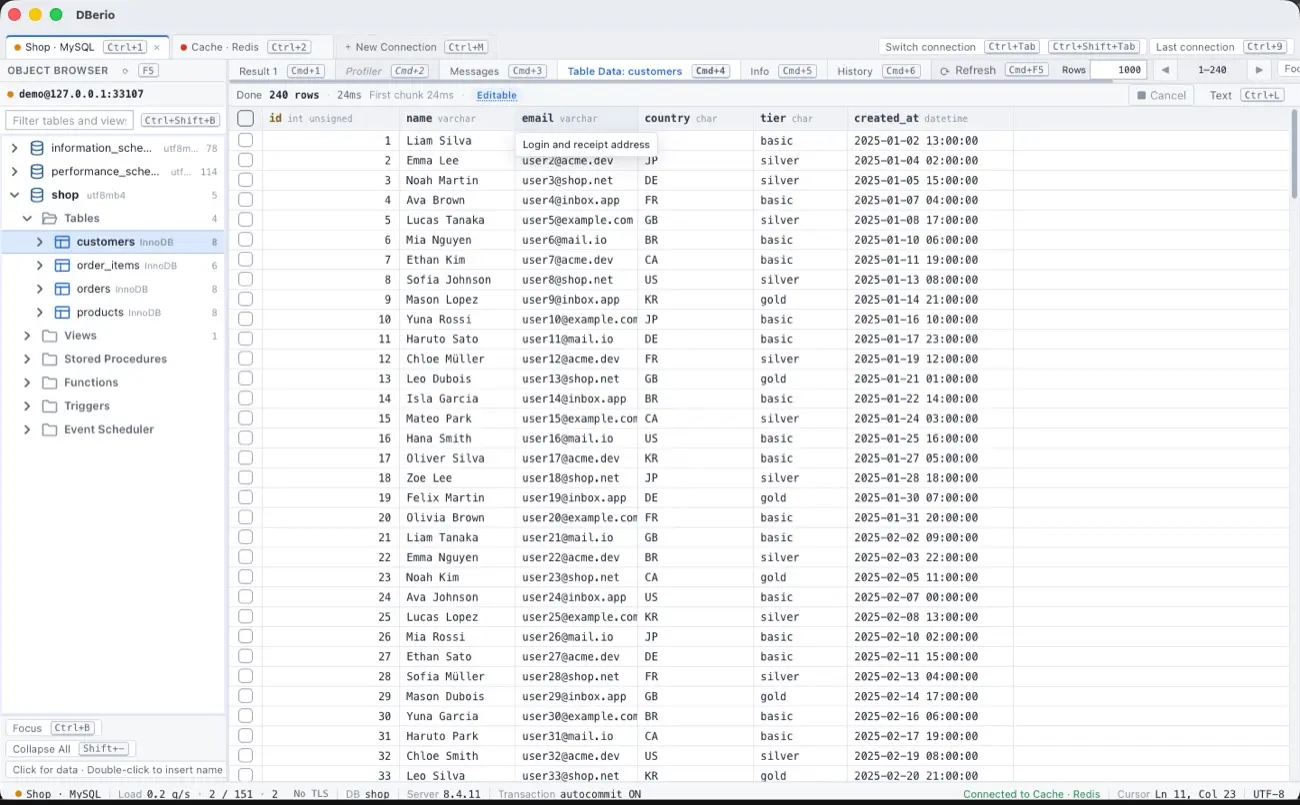
When a query result comes from a table with a primary key, you can edit cell values right in the grid and add or delete rows. This works with MySQL, MariaDB, PostgreSQL and SQLite; results that join multiple tables or aggregate data cannot be edited. Edited values are applied row by row right away, and deleting a row asks for confirmation every time.
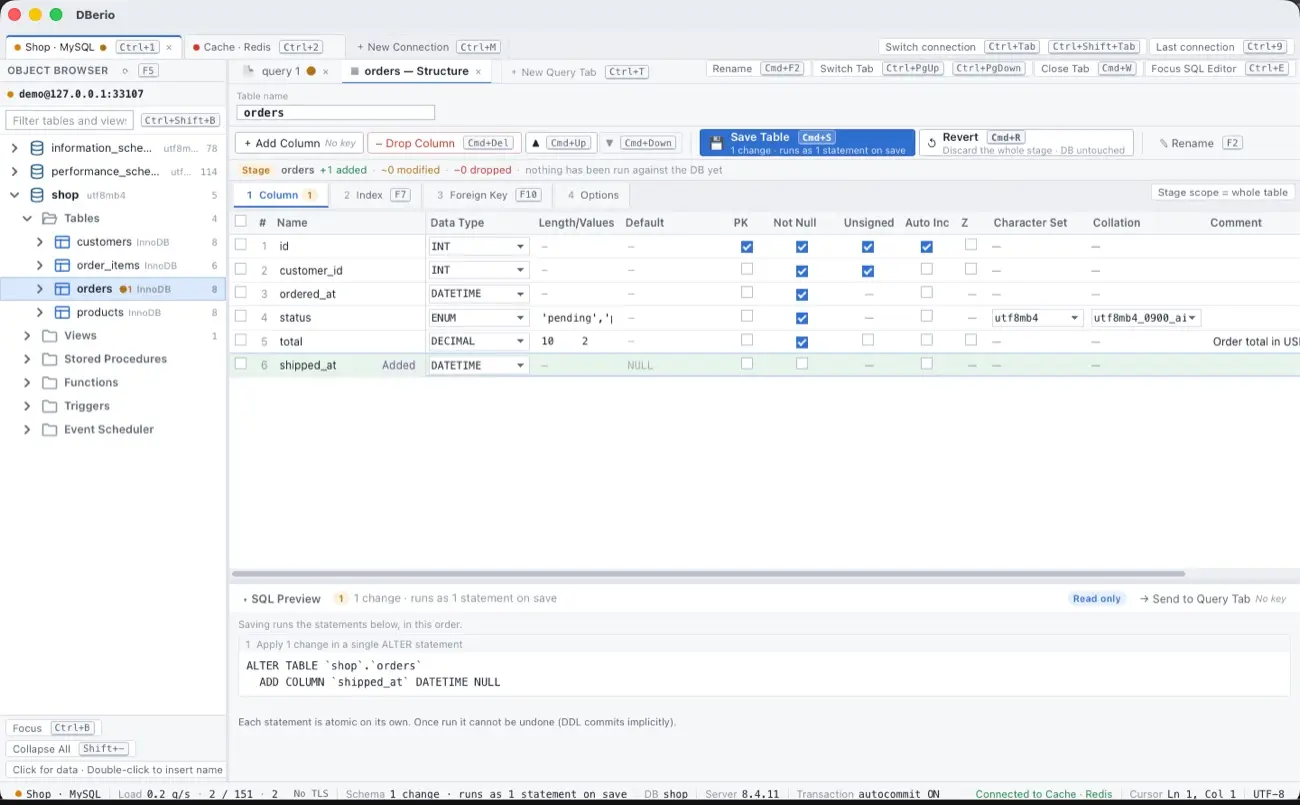
Before you change a table's structure, you can see the SQL that will run. If a change may lose data, DBerio shows a warning, and on a connection marked as a production server it asks for one more confirmation before changing the structure. On a production connection, a change that may lose data only proceeds after you type the table name.
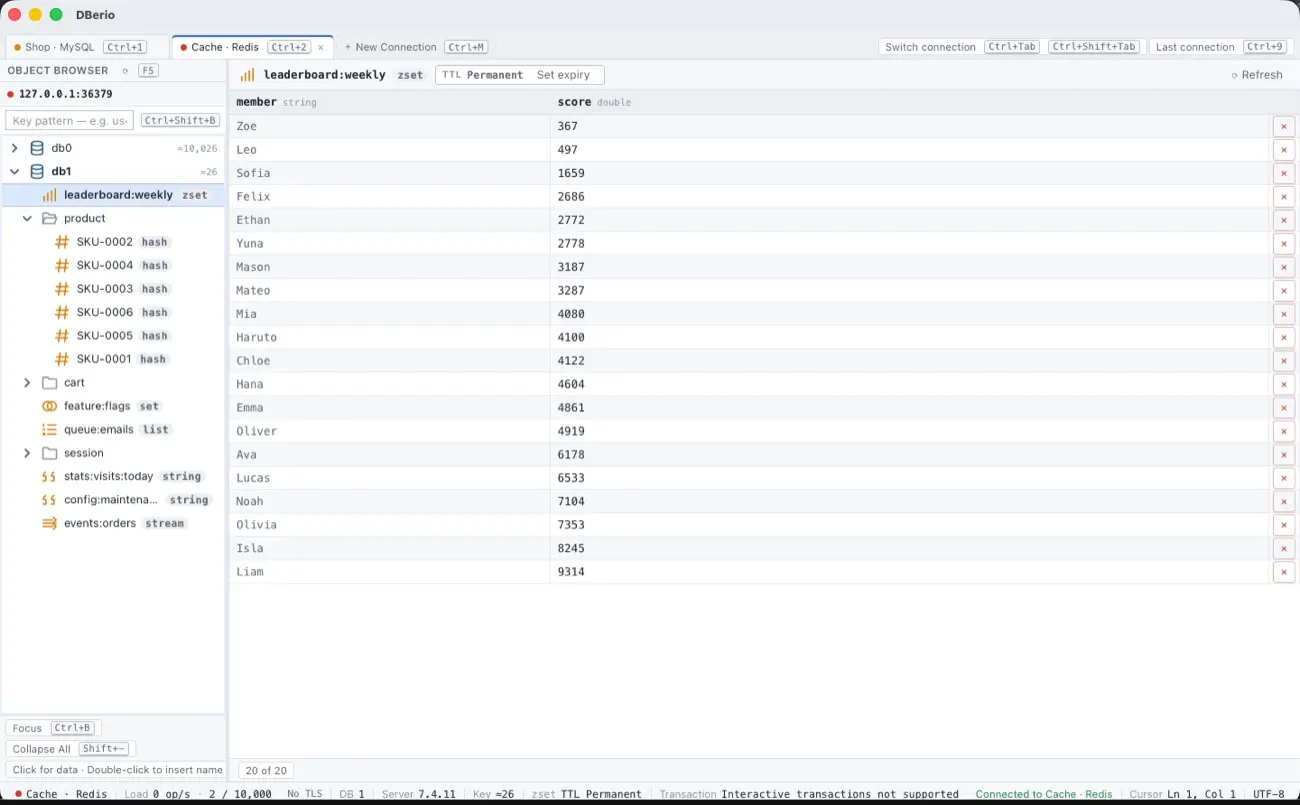
In Redis, you can browse keys and view and edit string, hash, list, set and zset values. Stream values are view-only.
Server connections and password storage
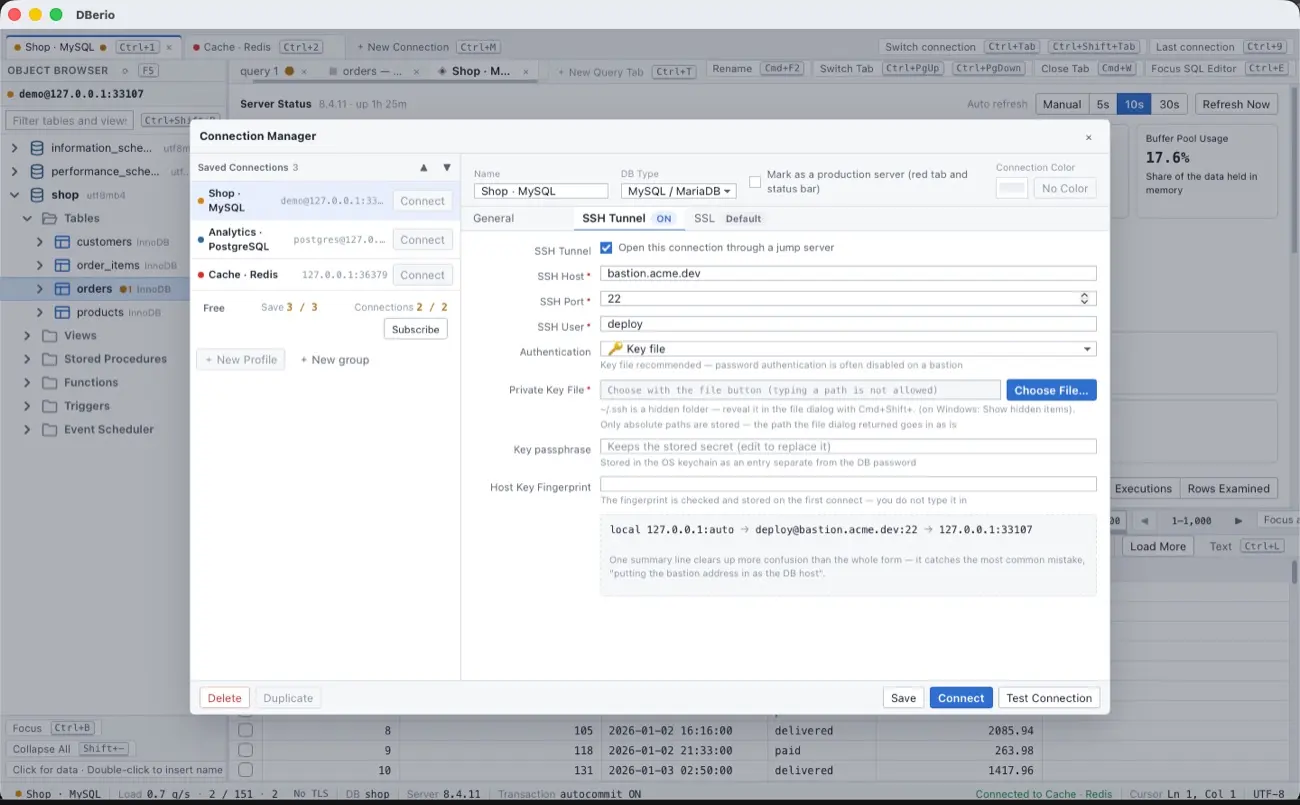
You can connect to remote servers through an SSH tunnel, using a password, a key, or an encrypted key. Passwords used for connections are stored in the Keychain on macOS and in Credential Manager on Windows.
No account, no data collection
DBerio has no accounts. The app does not collect usage statistics or crash reports, has no ads, and the company runs no separate server for it. The app connects directly to the database servers you specify.
All features are the same with or without a subscription. The only difference is the number of connections: to save four or more connection profiles or connect to three or more at the same time, you need a Pro subscription. Pro is available as a monthly or yearly subscription, with a 7-day trial. Prices are shown in each store.
DBerio runs on macOS 12.0 or later and Windows 10 1809 or later (x64).
Download
- Mac App Store
- Microsoft Store
- Product site: dberio.com
About CodeSand Co., Ltd.
CodeSand Co., Ltd. is a web service and mobile app developer founded on May 30, 2023. It runs its own services alongside contract development, and its business registration number is 368-87-03020. Company information is available at codesand.co.kr.
Press contact
CodeSand Co., Ltd. PR · pr@reply.codesand.co.kr