Keep it by
your pillow
Moonmic records only the moments when a sound happens, like snoring or talking in your sleep. In the morning, see how often, when, and for how long.
No account needed. Just open it and start.
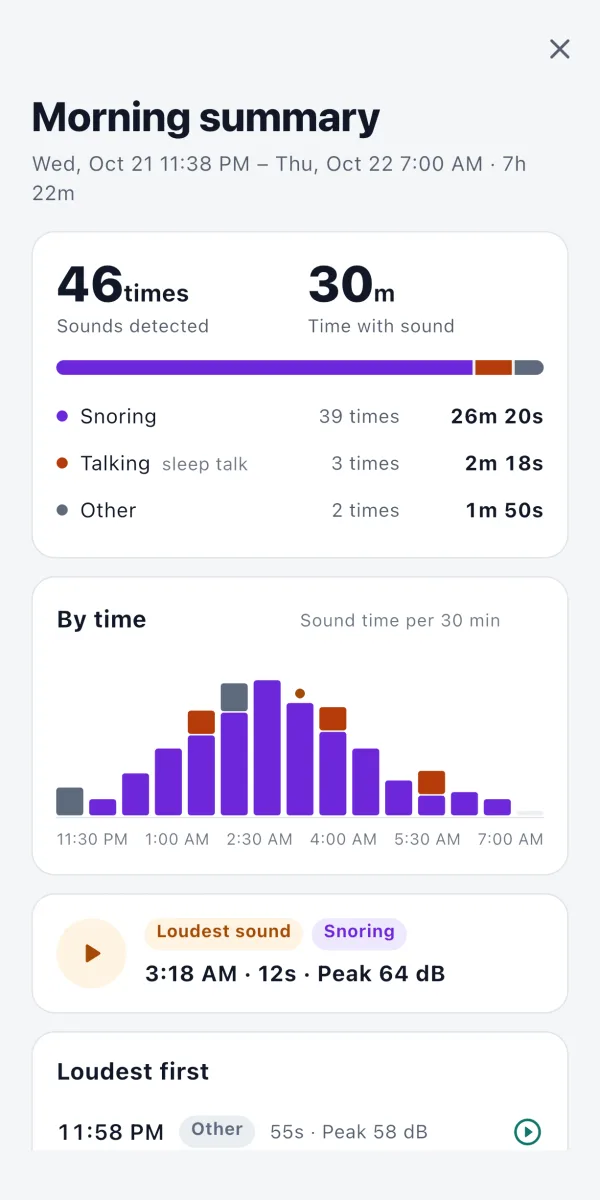 Last night at a glance
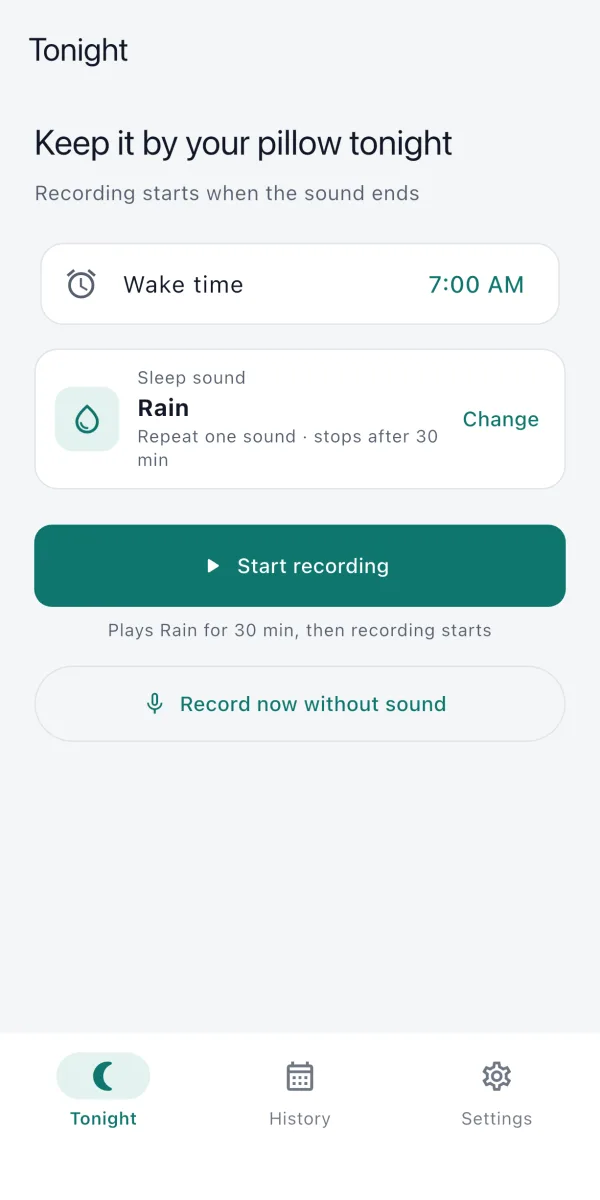
Set it by your pillow
Choose a wake time, start recording and put your phone by your pillow. Keeping it on the charger overnight is a good idea.
While you sleep
When a sound rises above the usual noise in your room, a short clip is saved with a few seconds before and after. The whole night is not recorded.
Check in the morning
Recording stops at your wake time. There is no alarm, so open the morning summary when you get up.
Last night, at a glance
The morning summary shows how many sounds there were, how long they lasted and an hourly chart. You can play the loudest sound right there.
Household noise such as a dog barking or running water is kept separately and left out of the totals.
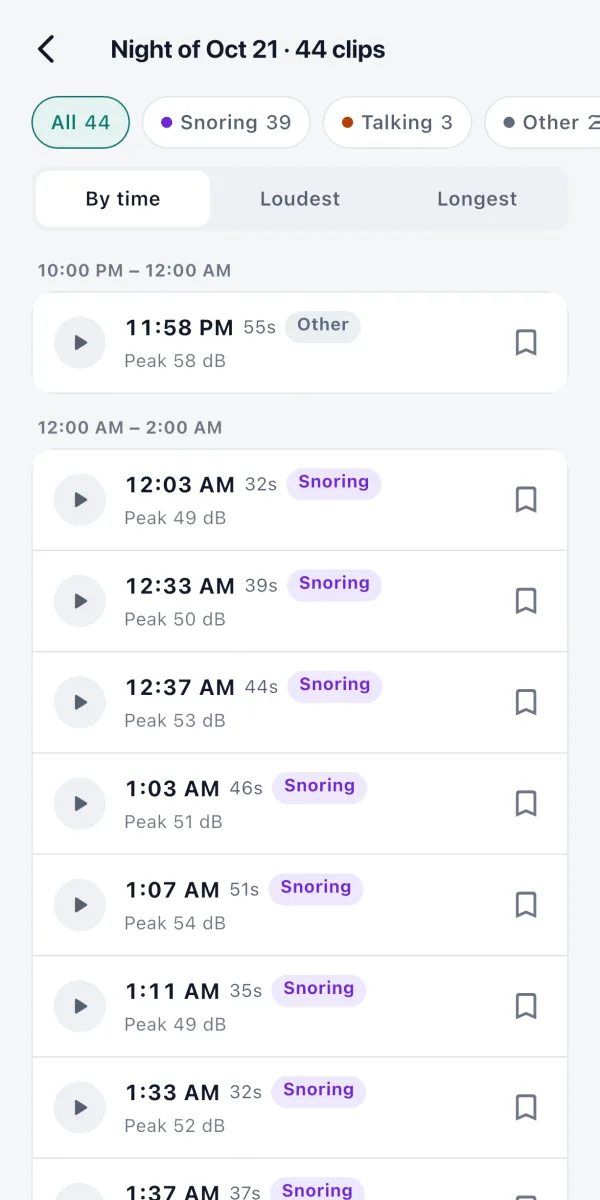
Replay just the noisy moments
Clips are sorted by the kind of sound.
If a label looks wrong, you can fix it on the clip screen and the summary for that night updates. Favorite the clips you want to keep, or export them as files.
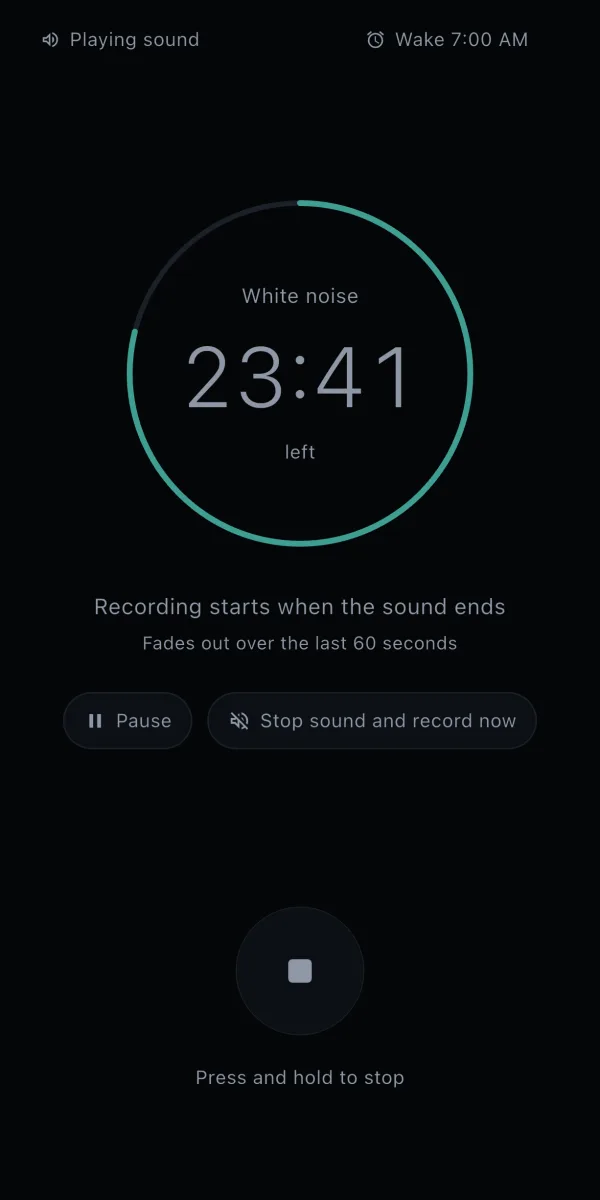
Gentle sounds for bedtime
Play white noise, nature sounds like rain and waves, or piano and lullabies. Swipe left and right to browse music and nature sounds, and listen to a 30-second preview before you choose.
Recording starts when the sleep timer ends. Nothing is recorded while a sound is playing.
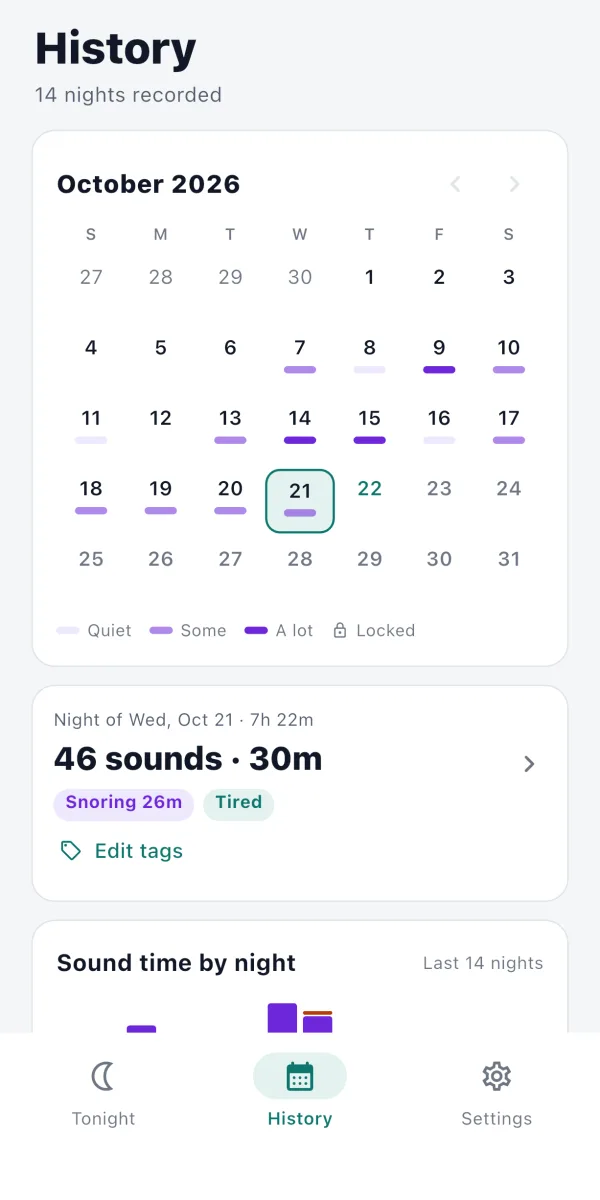
Every night, in one calendar
Open any past night from the calendar on the History screen. Your time in bed is saved too, based on when you started and stopped recording.
Add tags to a night to remember what was different that day.
Recordings stay on this phone
There is no sign-up and no login.
Handled on your device
Clips and night records are stored only on your phone, and sorting sounds into labels happens on the phone too.
What leaves your phone
Only app usage statistics, error reports and the information needed to show ads. Recordings, clips and file names are never included. You can turn off usage statistics and error reports in Settings.
When you change phones
Records are not backed up, so they do not move to a new phone. Export any clips you want to keep first. Deleting the app also deletes your recordings.
For details, see the Privacy Policy.
Start for free
Recording and the morning summary are free. To keep more and compare nights, unlock all features with a one-time purchase. There is no subscription.
| Feature | Free | Unlock all features |
|---|---|---|
| Recording, detection, morning summary | All | All |
| Listen to last night's clips | All | All |
| History | Last 3 nights | Unlimited |
| Night-by-night and tag comparison | No | Yes |
| Keep clips | 30 days (favorites stay) | Unlimited |
| Bedtime sounds | Some | All |
| Ads | Banner at the bottom of the morning summary and History | None |
No ads appear while recording or on the screen that plays sounds. With the same store account, Restore purchases brings your unlock back.
Please note
Moonmic records sounds at night and logs how often, when and for how long they happened. It does not assess your health and is not a medical device. If you are worried about your sleep, please talk to a doctor.
What did last night sound like?
Turn on recording tonight and check tomorrow morning.